Owlect
All articles

Sharing Your Collection

Share your collection with friends using a link or QR code.

Sharing your collection

You can make any collection public so that anyone with the link can view it — even people who do not have an Owlect account.

How to share
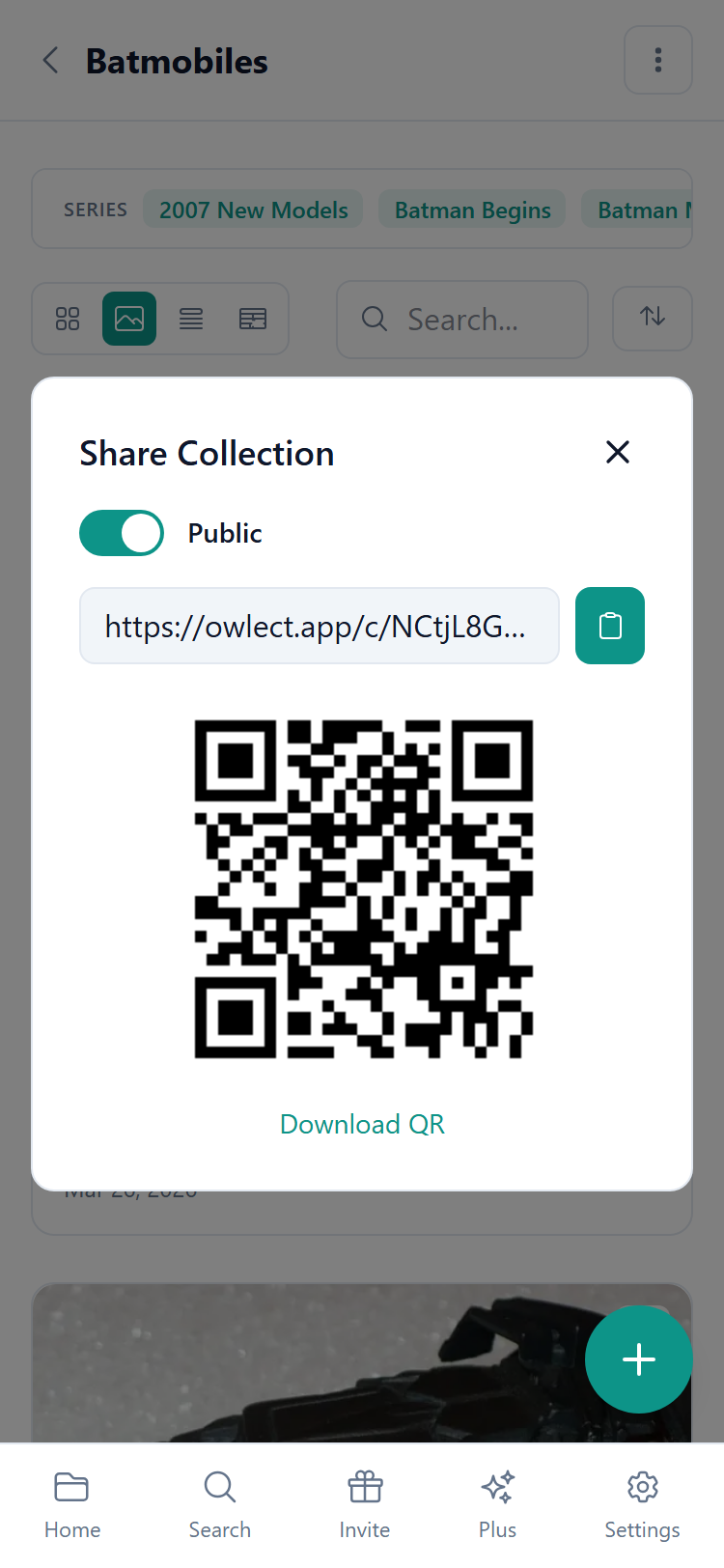
  • 1Open your collection
  • 2Tap the **Share** button
  • 3Turn on **"Public"**
  • 4Copy the link or scan the QR code
  • Share dialog

    What do visitors see?

    When someone opens your shared link, they see:

  • Your collection name and description
  • All your items with photos
  • All the details you have added (custom fields, ratings, etc.)
  • Items marked as "For Sale" with a green badge
  • They can switch between gallery, list, and table views
  • They can sort and search through your collection
  • Visitors **cannot** edit or delete anything — they can only look.

    QR Code

    Owlect creates a QR code for your shared collection. This is handy for:

  • Printing and putting on a shelf or display
  • Sharing at events or swap meets
  • Showing to someone in person — they just scan it with their phone camera
  • Making it private again

    Changed your mind? Just go back to the Share settings and turn off "Public". The link will stop working immediately.

    Custom link

    Your shared link looks something like `owlect.app/c/my-dolls`. Owlect creates the link name automatically from your collection name.

    We use cookies for site functionality, traffic analysis, and personalization. We may share cookie data with marketing partners. Learn more